
Overview
Getting Started with Tagada
- Getting Started with Tagada
- Steps needed to connect Tagada to your Shopify store
- Connecting your Shopify store to your Tagada account
- Syncing products from your store to Tagada
- Setting up your Recurring Products with TagadaPay
- How to lock the price of your product (variant)
- Customizing shipping rates
- Adding taxes
Customizing your Checkout
- Customizing your Checkout
- Customizing the apparence of your checkout
- Setting the checkout type: one-page or multiple-page
- Changing the logo and favicon on your checkout
- Customize the checkout theme color
- Enabling the checkout title and subtitle
- Require a phone number at checkout
- Require a valid phone number at checkout
- Require an address number at checkout
- Require pickup point selected at checkout
- Pre-check email marketing checkbox
- Make order summary open by default
- Restrict countries from shipping rates
- Enable Fullscreen select inputs on mobile version of the checkout
- Display a sticky payment button on mobile version of the checkout
- Display a scarcity timer at checkout
- Add policy URLs at checkout
- Require customers to accept terms before checkout
- Display “Powered by Tagada” at checkout
- Customize trust badges at checkout
- Manage sections displayed on your checkout page
Configuring your Checkout & Custom Domain
- Configuring your Checkout & Custom Domain
- Deploying your checkout
- How to preview your checkout
- Publishing your checkout
- Enabling Checkout Button Detector
- Enabling Buy Now Button Detector
- Set the percentage of customers directed to the TagadaPay checkout
- Enable the Tracker - an advanced feature for custom button mapping
- Enable Caching Bundle Mode
- Configure URL Patterns
- Undeploy your checkout
- Unpublish your checkout
- Adding a custom domain for your checkout
- Deploying a custom domain for your checkout
Setting Up Order Bumps
Using the Discounts and Offers Features
Using the Deal Club Feature
Using the Funnels Feature
Using the Languages Feature
Using the Emails Feature
Using the Connect Feature and Integrations
Using the Direct Link Generator
Setting up Payments
- Setting up Payments
- Payments Explained
- Adding Processors to your Organization
- Connect Stripe Account to Tagada
- Connect NMI to Tagada
- Connect Checkout to Tagada
- Connect Airwallex to Tagada
- Connect Mastercard Gateway to Tagada
- Connect OVRI to Tagada
- Connect Sandbox Processor to Tagada
- Connect Network Ngenius to Tagada
- Create a payment flow for your Store
Configuring Payment Methods
Managing Subscriptions
- Managing Subscriptions
- Creating Subscriptions
- Activating Authorize first feature
- Adding Subscription free trial
- Managing Subscriptions
- Updating Subscriptions Billing Cycle
- Changing Subscriptions Processor
- Activating TagadaPay Vault for your Subscriptions
- Cancelling Subscriptions
- Pausing Subscriptions
- Resuming Subscriptions
Using the Deal Club Feature
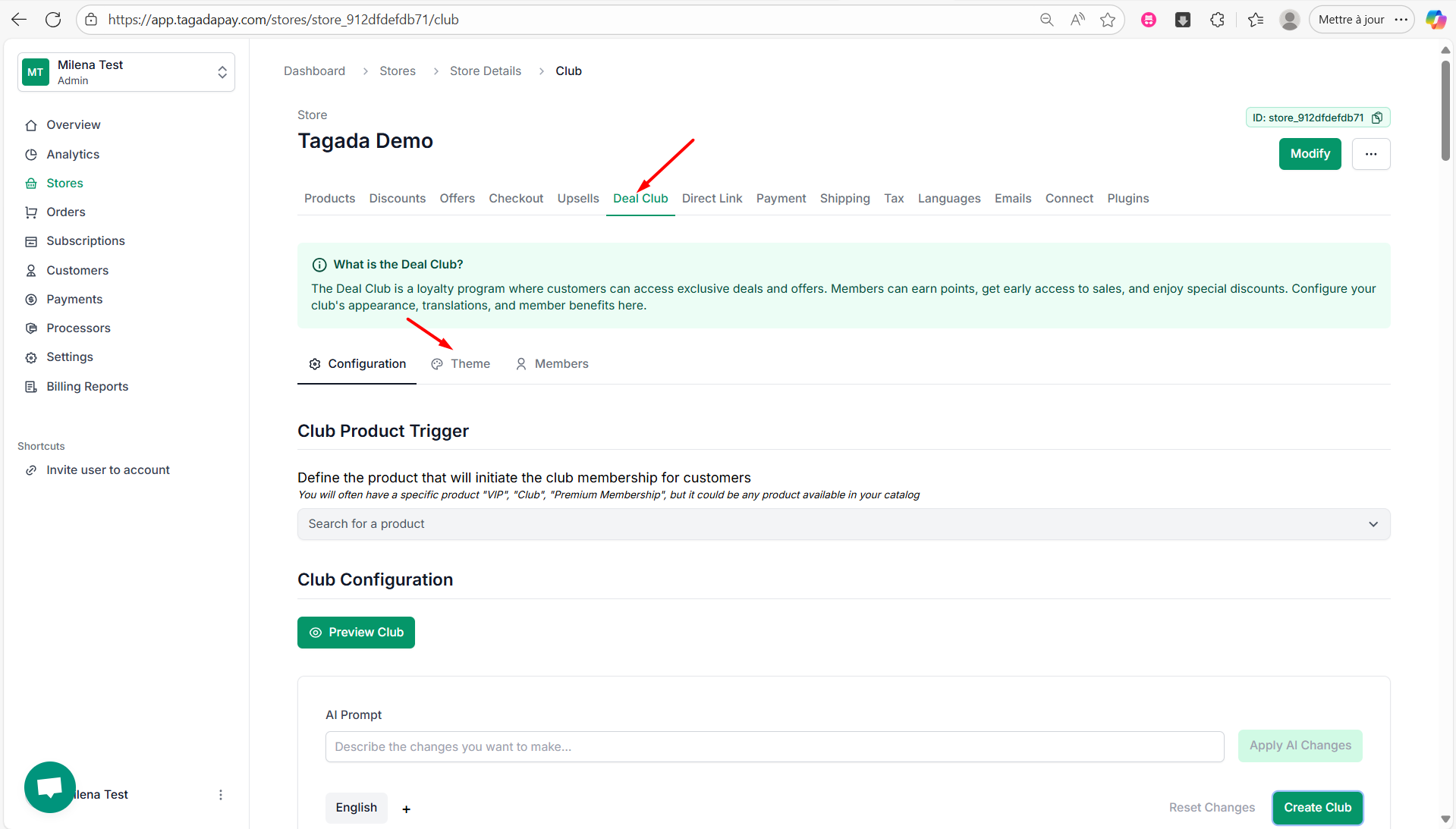
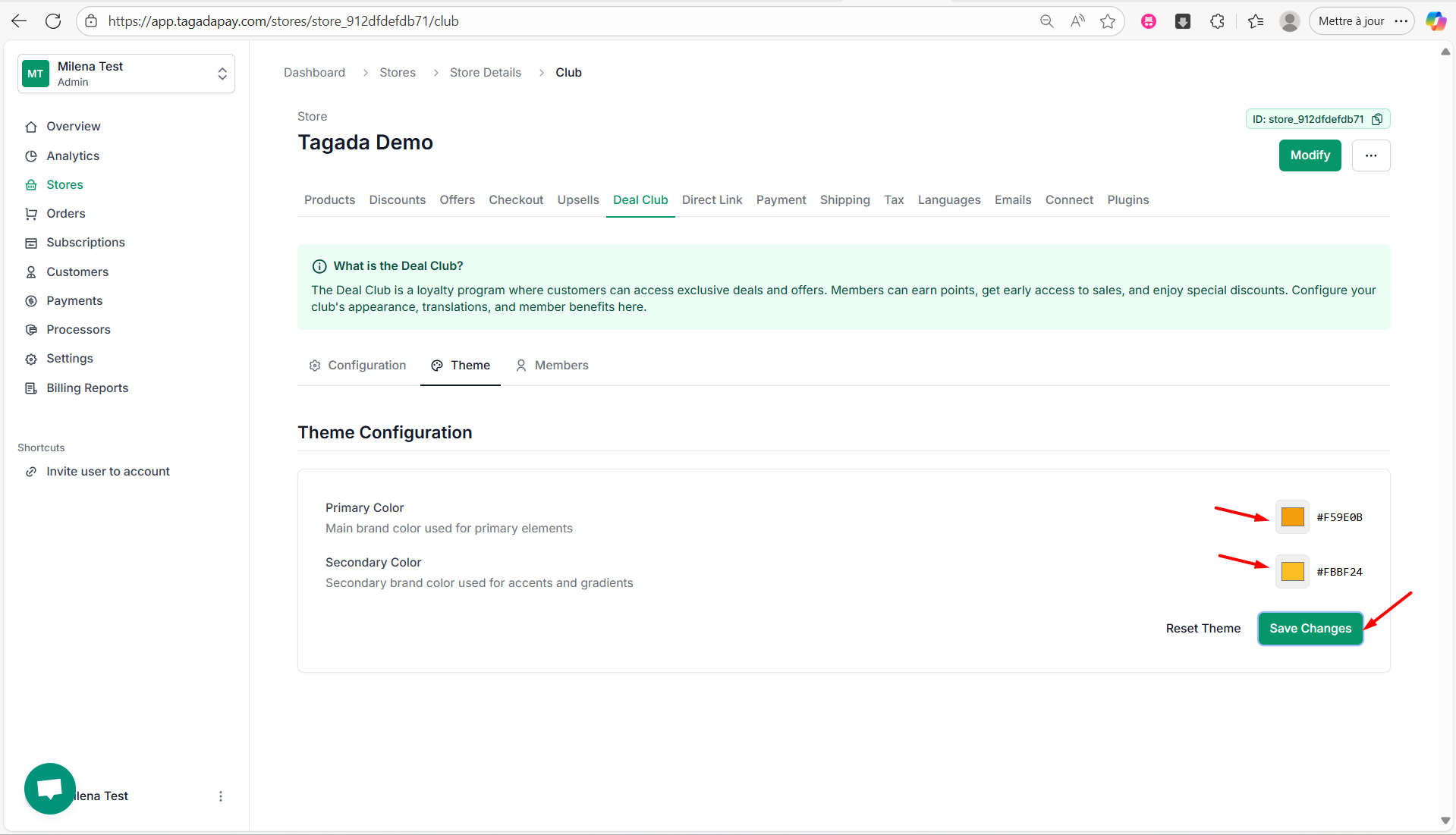
Customizing the colors of your Deal Club
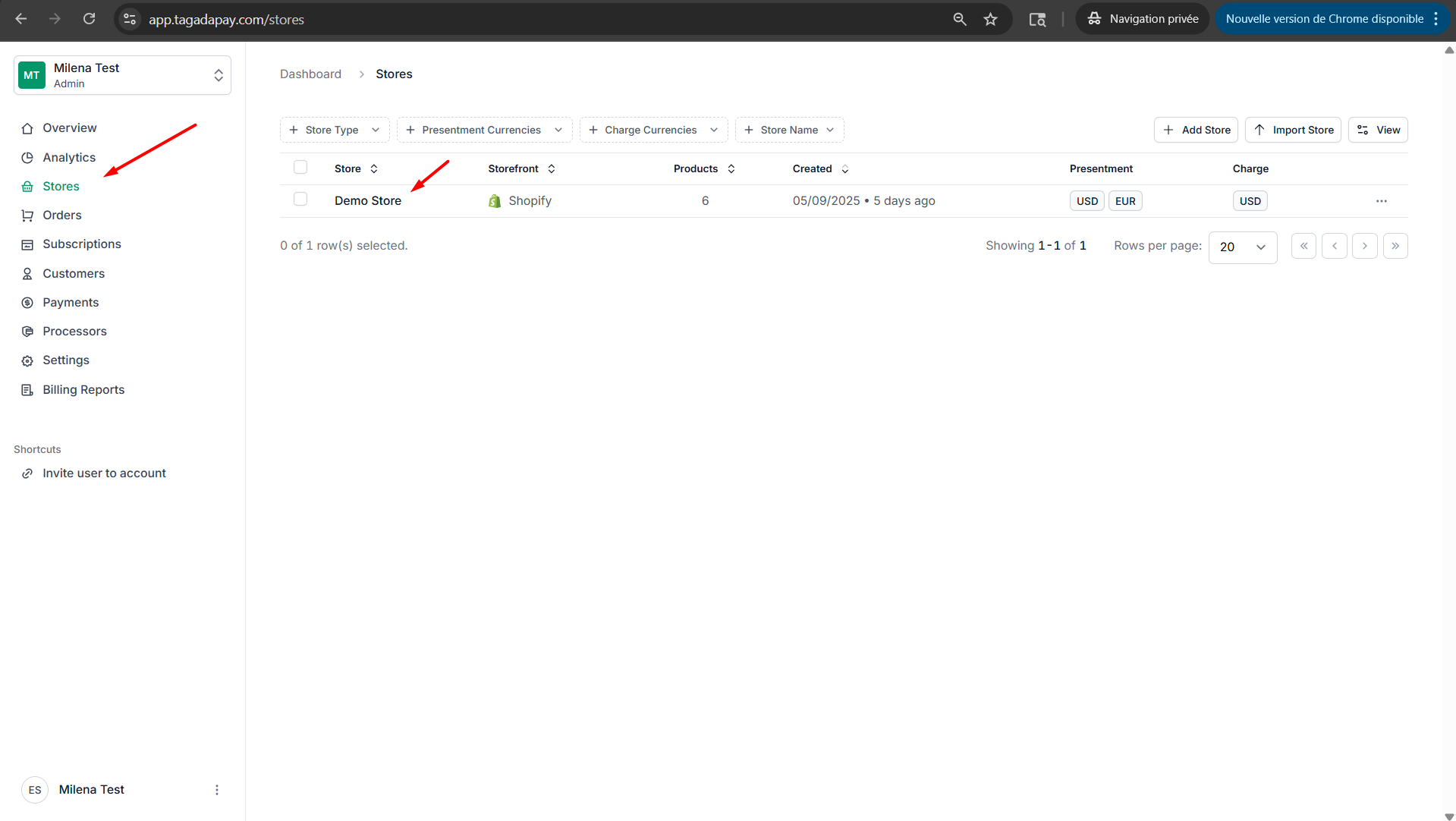
- Select your desired store under Stores.
⌘I