
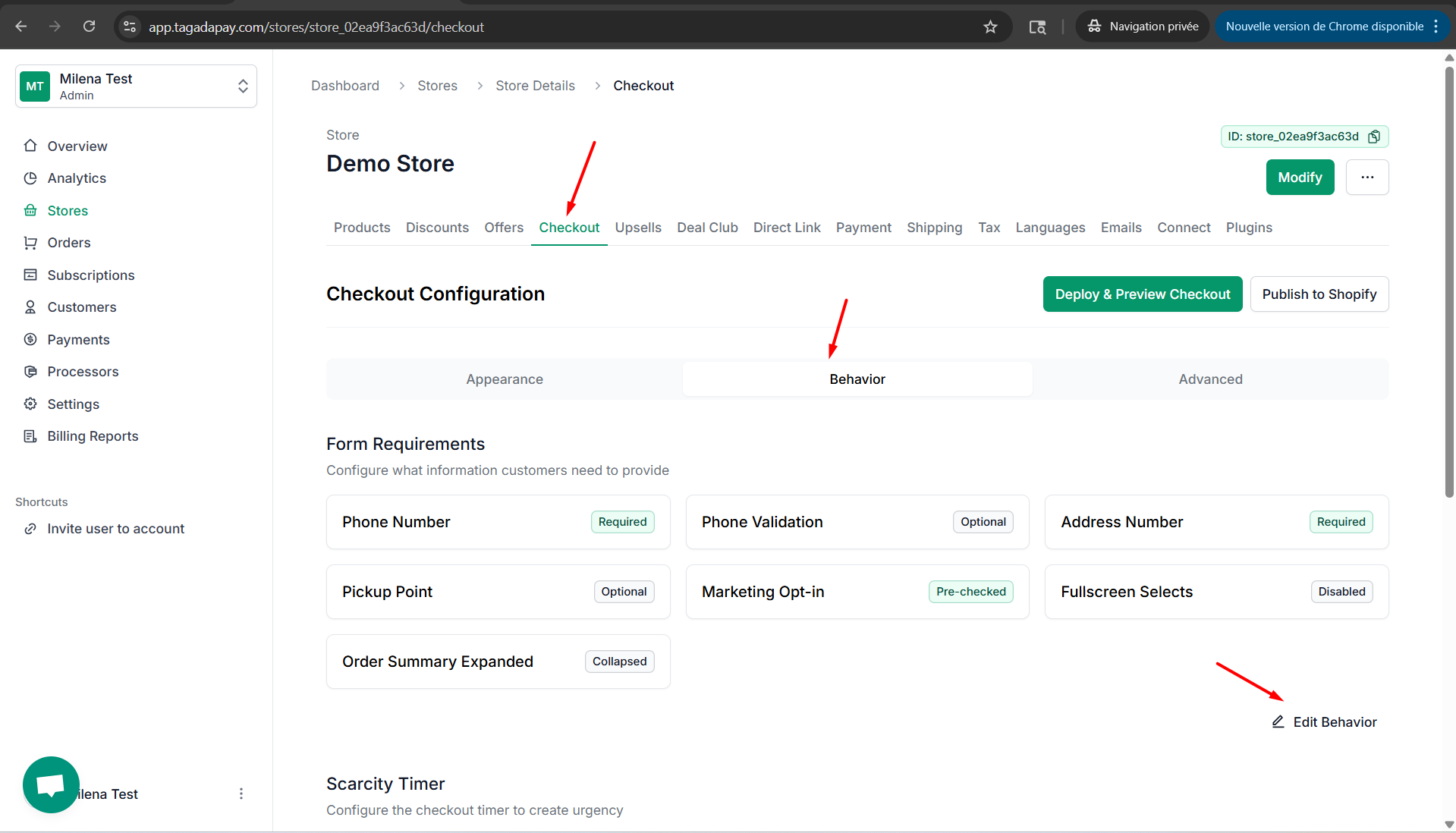
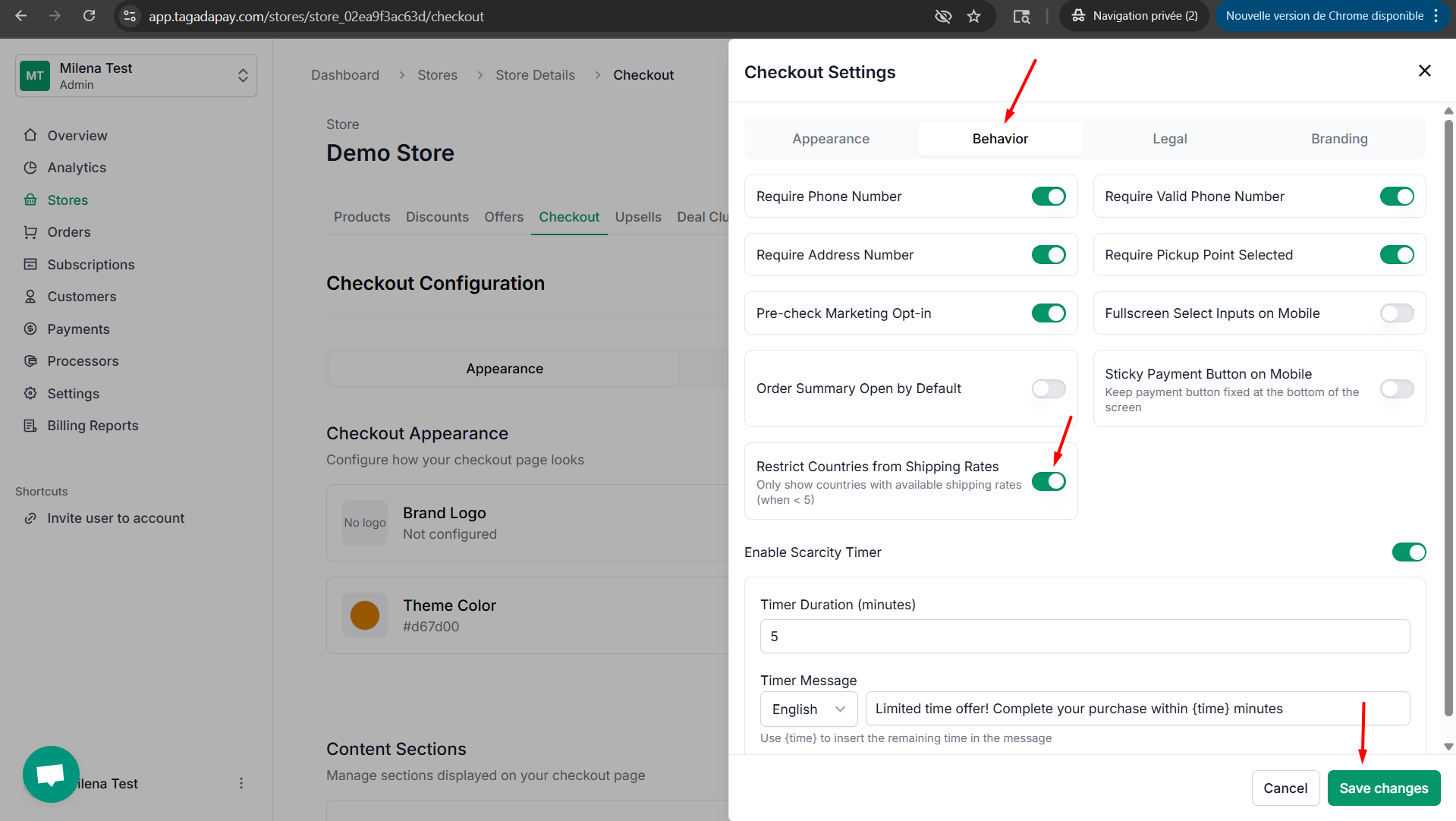
Click on Behavior tab. Enable the Restrict Countries From Shipping Rates button, if you would like to restrict countries from shipping rates at your checkout.
You can restrict countries from shipping rates at your checkout by clicking on the Checkout tab in the menu of your Admin panel of the selected store.
Click on Behavior tab. Enable the Restrict Countries From Shipping Rates button, if you would like to restrict countries from shipping rates at your checkout.